Short answer
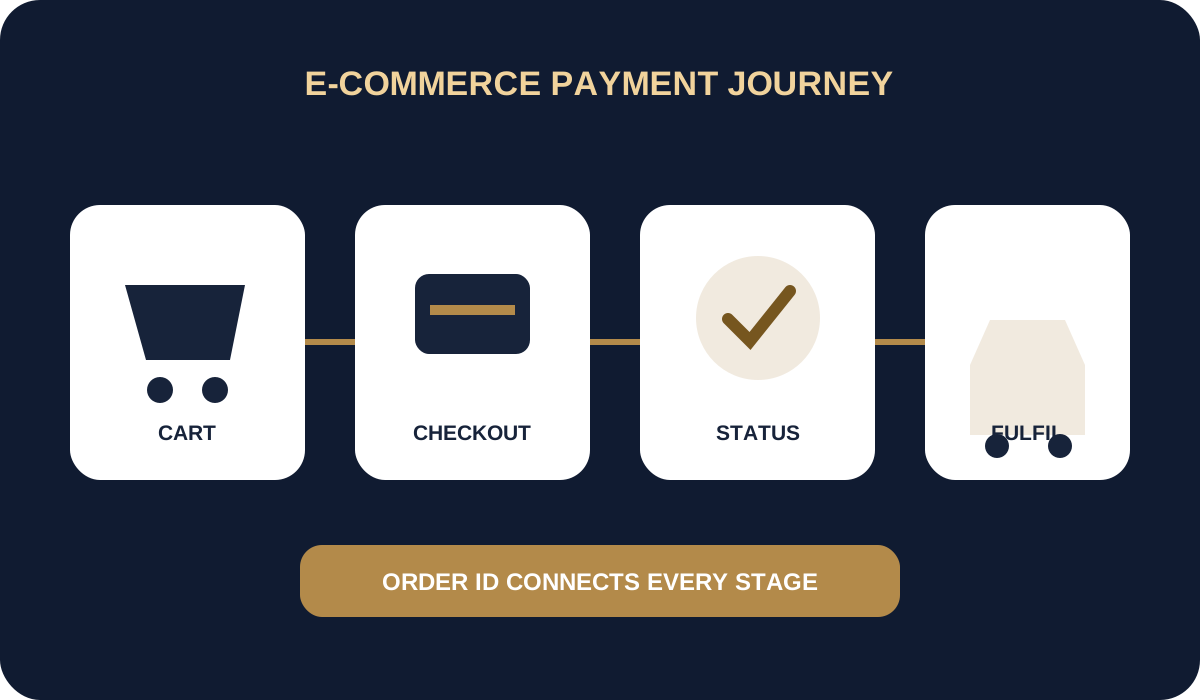
An e-commerce payment flow connects the cart, order, payment, fulfilment, refund and financial reconciliation. Method choice matters, but reliable statuses and operations are equally important.
- Create a payment only after locking the order contents and amount.
- Show only the payment methods approved for the setup.
- Change the order status only after payment confirmation.
- Connect refunds and reconciliation to the original order.
1. From cart to payment
Before creating a payment, the store validates inventory, total price, delivery, discounts and currency. The order receives a stable identifier and the server sends the amount to the payment infrastructure. The payment purpose should clearly match the purchase.
Checkout should display the total, seller, support contacts and material terms. The choice between SBP, cards and payment links depends on the audience and approved methods. Card acquiring is available only where supported and agreed.
- do not trust an amount supplied only by the browser;
- record the applied price and discount version;
- limit payment-session validity;
- do not present an unavailable method.
2. QR, link and customer return
For SBP, a dynamic QR or link is generated for a specific order. The customer may return to the store after using a banking application, but browser return does not confirm payment. The server-side status is authoritative.
The result page should handle delays: display a pending state, poll safely and avoid creating another order without an explicit action. If the customer closes the tab, a webhook can still update the order.
- do not use a generic QR for an automated cart;
- separate the return URL from payment confirmation;
- show the customer the order number;
- provide safe status rechecking.
3. Order, inventory and fulfilment
Inventory reservation and fulfilment timing depend on the business process, but shipping should not start from a created-payment status. A successful event is recorded idempotently so a duplicate webhook cannot decrement stock or grant benefits twice.
After failure or expiry, the order may remain available for another payment under store rules. The new attempt needs its own identifier while retaining the link to the order.
- define the final paid status;
- protect handlers from duplicate execution;
- log every order-state change;
- separate orders from payment attempts.
4. Refunds, reconciliation and launch
A refund references the successful payment attempt and is accounted for separately. Daily reconciliation compares orders, statuses, fees and registers. Before launch, test double clicks, delayed webhooks, partial refunds and external-service unavailability.
WHITECAPITAL supports approved setups using SBP, dynamic QR, payment links, APIs and operational statuses. Card availability, pricing and other terms are determined after business review.
- publish a current refund policy;
- run a test reconciliation;
- prepare support instructions;
- monitor errors and incomplete payments.
Apply to connect your online store
Provide the store URL, CMS and version, product range, delivery geography, average order value and expected volume. Describe the journey from cart to fulfilment and cancellation rules so the team can assess methods and integration.
For a website builder or CMS, confirm ready-made module availability separately. For a custom store, identify where orders are stored and which service handles payment notifications.
Questions and answers
What is better for an online store: SBP or cards?
It depends on the audience and approved methods. Many stores use multiple options, but each must be correctly linked to the order and statuses.
Does a success-page redirect confirm payment?
No. The final result should come from a server-side status or verified webhook.
How should another payment attempt be handled?
Create a separate attempt with a new identifier while retaining the link to the same order.
Sources and policies
We use official payment-system information and WHITECAPITAL policies. Contractual documents prevail for an individual merchant setup.
- NSPK — Faster Payments System for business
- WHITECAPITAL — API Terms
- WHITECAPITAL — Refunds and Disputes Policy
- WHITECAPITAL — Merchant Terms
This material is for operational orientation and is not a promise of approval, universal method availability, a fixed fee or settlement timing.